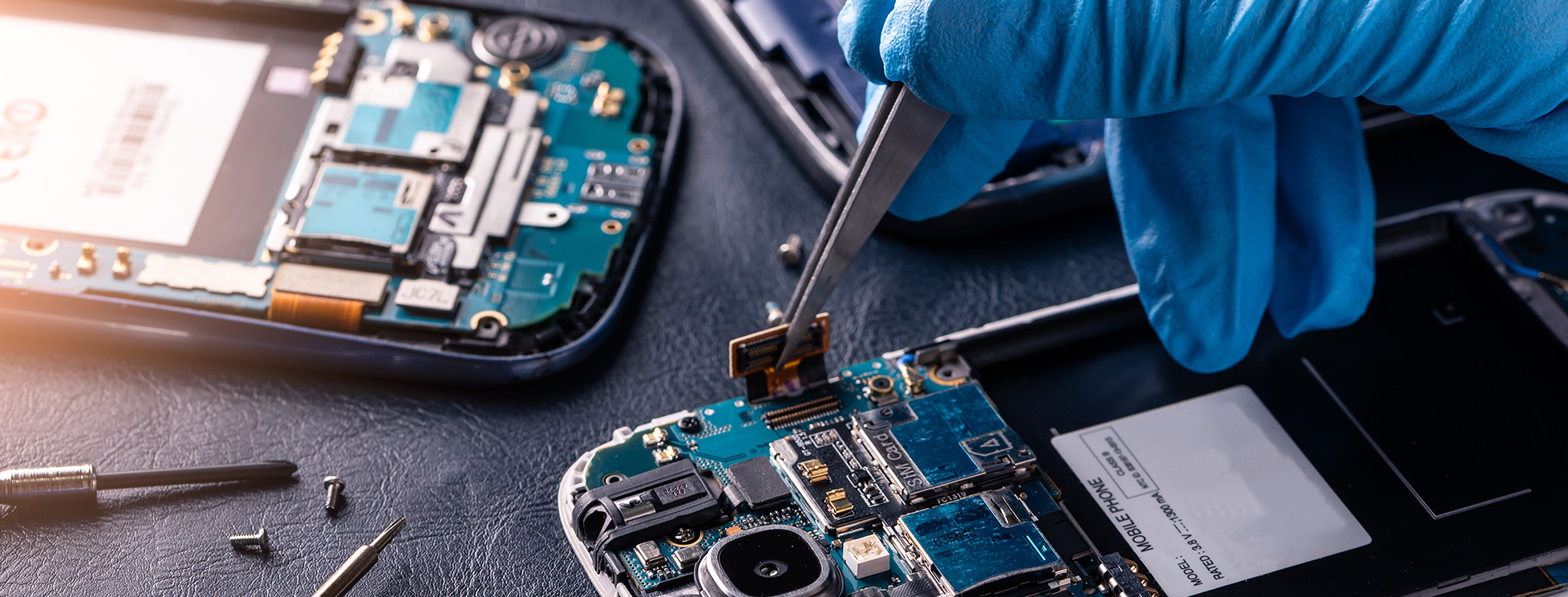
It's the question customers think about but rarely ask out loud: if I leave my phone here, is someone going to go through it? We'd rather you ask. Your phone holds your photos, your banking apps, your messages, your medical records — handing it to a stranger is a genuine act of trust. So here's an honest answer from a certified repair shop in Boca Raton, and it's not the answer most shops give: yes, we need your passcode. A repair isn't finished until it's tested, and real testing happens past the lock screen. What matters isn't whether a shop unlocks your phone — it's whether you're standing there when they do.
The Honest Answer: Yes, We Need Your Passcode
Plenty of repair-shop articles will tell you that a good shop never asks for your passcode. It's reassuring, it's widely repeated, and in our experience it's mostly marketing.
Here's the reality. A screen replacement isn't done when the new screen is seated — it's done when someone has confirmed that multi-touch works across the entire panel, that Face ID still enrolls, that the front camera and earpiece survived, that brightness and True Tone behave. Almost none of that can be verified from a lock screen. A shop that never unlocks your phone is a shop that hands it back untested, and lets you discover the dead spot in the corner two days later.
So we ask. And because we ask, we owe you something better than a promise: we test your phone in front of you, at the counter, before you leave.
That's the whole argument of this article. The industry's real privacy problem was never that technicians need access. It's that they take your device out of sight to use it. Remove that, and you've removed the risk — which is exactly what the research shows.
What the Research Actually Found
The most rigorous look at this came from computer scientists at the University of Guelph in Ontario — researchers Jason Ceci, Jonah Stegman and Hassan Khan — in a study titled "No Privacy in the Electronics Repair Industry." Between October and December 2021 they dropped laptops off at 16 repair providers with a fault that required no access to the operating system, then examined the device logs afterward.
What they found, as reported by The Register:
- 6 of the 16 technicians accessed personal files or browser history that had nothing to do with the repair.
- 2 of the 16 copied customer data onto an external device.
- Several tried to cover their tracks, clearing "recently opened" lists afterward.
- Not one shop disclosed a privacy policy before taking the device.
- Nearly all of them asked for the device password — even though the repair didn't require it.
Two honest caveats, because we'd rather give you the real picture than a scary one. This was a small study — 16 shops, in Ontario, using laptops rather than phones. You can't read it as a statistic about every repair shop in Florida. And the specific repair they requested, a laptop battery, genuinely didn't need OS access, which is not true of the phone testing we described above.
But look at how the snooping happened, because that's the part that transfers. In every case, the device was dropped off and left behind. The technicians browsed files at their own pace, with no one watching, and then cleared the traces. The problem wasn't that they had the password. It was that nobody was in the room.
That reframes the whole question. "Never give out your passcode" is advice that falls apart the moment you need a repair properly tested. "Never let your passcode be used out of your sight" is advice that actually survives contact with reality — and it's the standard we hold ourselves to.
💡 The one-sentence version
The safeguard isn't withholding the key — it's being in the room when it's used.
Why a Real Repair Test Needs Your Passcode
A trustworthy shop should be able to tell you precisely what it needs access for. So here's our list, job by job:
- Screen replacement — multi-touch tested across the entire panel (not just the middle), Face ID or fingerprint re-enrollment, front camera and earpiece, brightness, True Tone, auto-rotate. A dead touch zone in a corner is invisible from a lock screen.
- Battery replacement — battery health reporting, charge behavior under load, and no "Unknown Part" or service warnings after the swap.
- Charging port — data transfer as well as charging, plus microphone and speaker, which sit on the same assembly on many models.
- Water and liquid damage — confirming the phone boots and that Wi-Fi, cellular, cameras, microphones and sensors all survived. Our water damage recovery guide explains why these are the most demanding jobs of all.
- Board-level repair and data recovery — full-system verification, or, in recovery, access is the job.
Skip that testing and the repair is a coin flip. We'd rather find the problem at our counter than have you find it in your car.
What about Apple's advice not to share your passcode?
It's worth addressing head-on, because it's good advice and we're not going to pretend otherwise. In its guidance on preparing an iPhone for service, Apple tells customers never to give out their Apple Account password, device passcode, or account security details, and says neither Apple nor its Authorized Service Providers will ask.
Two things are true at once here. First, there's one credential that nobody should ever need, and we will never ask for it: your Apple Account (iCloud) password. That's the key to your entire account across every device — a repair has no business touching it. If any shop asks for that, walk out. It is a completely different thing from your device passcode, and shops that blur the two are telling on themselves.
Second, notice the trade Apple's model makes. To avoid needing your passcode, you're asked to turn off Find My and hand the device over — frequently for days, often to a depot you'll never see. That's a legitimate approach. It's just a different one. We make the opposite trade: we ask for the device passcode, and in exchange you get something a mail-in depot structurally cannot offer — you watch the test happen and walk out with your phone in 30–60 minutes.
Neither model is dishonest. But only one of them lets you see what happened.
The Safeguard That Actually Works: Doing It in Front of You
Here's what that looks like in practice at our counter on Glades Rd:
- We tell you we need it, and what for — before you agree to the repair, not sprung on you at handover.
- The test happens at the counter, with you there. We run through the checklist for your specific repair while you watch. It takes a couple of minutes.
- You see the whole session. Nothing is opened that isn't part of the test, and you're the one confirming that.
- Then you take your phone home. Most repairs are done in 30–60 minutes, so there's no overnight window where your unlocked phone sits on a shelf.
This is why turnaround time is a privacy feature, not just a convenience one. A repair that takes an hour with you present has a supervision gap of roughly zero. A repair that takes "a few days" has a supervision gap of a few days. The same-day repair you wanted for practical reasons happens to be the safest option too.
And if you'd still rather not hand the passcode over, say so before we start. We'll tell you plainly which checks we won't be able to run — so you're choosing with the trade-off in front of you, instead of finding out later.
Want Extra Cover? Repair Modes on iPhone and Samsung
Being present is the main safeguard. But if you'd like a belt-and-braces option, both major platforms have a feature for exactly this — and they do different things, which most articles on this topic blur together, leaving iPhone owners with a false sense of security.
To be clear about where we stand: we'd genuinely rather you used these than sat there worrying. A customer who feels in control is a customer who can actually hear us explain the repair. Ask at the counter and we'll help you switch it on.
Samsung Galaxy — Maintenance Mode (the real data-hider)
If you carry a Galaxy on One UI 5 or later, this is the strongest single step you can take. Samsung's Maintenance Mode spins up a temporary separate user account for the technician — one that still allows the device to be tested properly, while your photos, videos, contacts and messages stay hidden behind it. Anything done inside that account is deleted when you exit. It is, genuinely, the best of both worlds.
- Go to Settings → Device care → Maintenance mode (or open the Samsung Members app → Support).
- Tap Turn on and restart the phone.
- To exit: tap the Maintenance mode notification, or return to Settings → Device care → Maintenance mode → Exit.
You'll need a lock screen set up and a bit of free storage. Details on Galaxy repairs are on our Samsung and Android repair page.
iPhone — Repair State (useful, but not what you think)
Apple introduced Repair State in iOS 17.5. It lets you hand a phone in without switching off Find My, so Activation Lock stays on and the device remains trackable. You turn it on through the Find My app when you try to remove the device from your account.
That's genuinely useful — it protects against a device being stolen or resold. But be clear about what it is: Repair State is anti-theft protection, not data hiding. It does not conceal your photos or messages the way Maintenance Mode does. iPhone has no equivalent of Samsung's Maintenance Mode.
So on an iPhone, your protection isn't a setting — it's the arrangement. Back up, pull the SIM, and use a shop that will do the unlocking in front of you.
The 6-Step Checklist Before Any Repair
Five minutes of prep, and it applies at any shop anywhere:
- 1. Back it up. iCloud, Google One, or a computer. Not because you distrust the shop — because a phone that's already damaged might not survive being opened, especially after liquid exposure. This removes the worst-case outcome entirely.
- 2. Turn on Maintenance Mode if you're on a Galaxy. It hides your content and still lets the repair be tested properly.
- 3. Remove your SIM card. It carries your number, and on some phones it can be moved to another device in seconds. Take the microSD card out too if you have one — card storage is often unencrypted.
- 4. Sign out of anything you'd hate exposed. Banking apps and password managers, if that gives you peace of mind.
- 5. Expect the passcode question — and ask what it's for. The right answer is a specific list of tests. A shrug is information too, and so is a shop that insists it never needs access at all.
- 6. Ask the two questions that actually matter: "Will you test it in front of me?" and "Does my phone leave this building?"
💡 Why turnaround time is a privacy question
A repair done at the counter in 30–60 minutes while you wait leaves almost no window in which anything could happen unobserved. A phone kept "a few days," or mailed to a central facility, sits unlocked and unsupervised for exactly as long as it's gone. Speed isn't only convenience — it's the shortest possible exposure window.
5 Questions That Tell You If a Shop Is Trustworthy
You can learn most of what you need in a two-minute conversation before you commit to anything. Ask these — at our shop or anyone else's:
- "Will you test it in front of me?" The single most useful question in this article. It converts a promise you can't verify into something you can watch.
- "Does my phone stay in this building?" If it gets shipped out, your data travels with it and the shop can't vouch for who handles it.
- "What exactly do you need the passcode for?" You're testing whether they can justify the ask with specifics. Note that "we never need it" is a warning sign too — it usually means the repair goes out untested.
- "How long will the repair take?" Most common repairs should be measured in minutes at the counter, not days on a shelf.
- "Are your technicians certified?" Apple and CompTIA A+ certification means trained, accountable people — not someone hired last week.
Alongside those, the ordinary trust signals still matter: a real storefront you can walk back into, a long review history, and a warranty. Our guide to choosing a repair shop in Boca Raton covers what else to weigh.
The UltraTechX Safe-Repair Promise
We'd be poor sports to write all of the above and then dodge the same questions. Here are our answers, in the same order:
- We'll tell you upfront that we need your passcode — and exactly what we'll test with it. No vague "we just need it," and no surprise ask at the counter after you've already committed.
- We test your phone in front of you before you leave. This is the one that matters. You watch the session; nothing gets opened that isn't part of the test.
- We will never ask for your Apple Account or Google account password. No repair needs it. If any shop asks you for that, leave.
- Your device never leaves our shop. Repairs happen on-site at 9146 Glades Rd. Nothing is mailed to a processing center.
- Our technicians don't browse your phone. No photos, no messages, no files — and because the testing happens in front of you, that's a claim you can check rather than take on faith.
- Most repairs are done in 30–60 minutes while you wait — the shortest realistic exposure window there is. If a job will take longer, you get an honest timeline upfront rather than a hopeful one.
- Certified and accountable. Apple and CompTIA A+ certified technicians, BBB accredited, Norton secured — and 410+ five-star Google reviews from neighbors who can be looked up.
Rated 5.0 with 410+ five-star Google reviews. Apple & CompTIA A+ certified technicians. 90-day warranty on every repair. $29.99 diagnostic — free when you repair with us.
— UltraTechX, 9146 Glades Rd, Boca Raton, FL 33434 · (561) 923-9684
If any of this matters to you — and for a phone holding your whole life on it, it should — come in and ask us in person before you commit to anything. Watch the test yourself; that's the point. Screens start at $99, batteries at $69, and the $29.99 diagnostic is waived when you go ahead with the repair. Request a free, no-surprise quote or call (561) 923-9684.
❓ Frequently Asked Questions
Is my data safe at a phone repair shop?
It depends far less on whether the shop unlocks your phone and far more on whether you are standing there when it happens. A proper repair test does need your passcode. The risk in the research came from devices left behind and used out of the customer's sight. At UltraTechX we ask for your passcode, we tell you exactly what we are testing, and we run that test in front of you before you leave. Your device stays in our Boca Raton shop, most repairs are done in 30 to 60 minutes while you wait, and your data never leaves with anyone.
Why does a repair shop need my passcode?
Because a repair is not finished until it is verified, and real verification happens past the lock screen. After a screen replacement a technician needs to check multi-touch across the whole panel, True Tone and brightness, the front camera and speaker, Face ID or fingerprint enrollment, and rotation. After a battery, the health reading and charge behavior. On water damage or board work, that Wi-Fi, cellular, cameras, microphones and sensors all survived. A shop that never unlocks your phone is a shop that hands it back untested and finds out it failed when you do. The question worth asking is not whether they need it, but whether they will use it in front of you.
Can a repair shop see my photos and messages?
Once a phone is unlocked, technically yes — everything on it is reachable. That is exactly why supervision matters more than promises. Modern phones encrypt storage at rest, so a locked device is a sealed box, but testing your repair properly means opening that box. At UltraTechX the box gets opened at the counter with you watching, for as long as the test takes and no longer. Our certified technicians do not browse your photos, messages or files, and you are there to see it.
How do I hide my personal data before a phone repair?
On a Samsung Galaxy running One UI 5 or later, use Maintenance Mode: Settings, then Device care, then Maintenance mode. It creates a temporary separate user account that hides your photos, videos, contacts and messages while still letting a technician test the device, and anything done in that mode is deleted when you exit. iPhone has no direct equivalent — Apple's Repair State keeps Find My and Activation Lock on but does not hide your content. We are happy to help you switch Maintenance Mode on at the counter, and we would rather you used it than worried.
Should I back up my phone before a repair?
Always, even for a simple screen replacement. A backup is not about distrusting the shop — it protects you from the small chance that a device with existing damage does not survive being opened, which is a real risk on water-damaged or heavily impacted phones. Back up to iCloud or Google One, or to a computer, before any repair. It takes minutes and it removes the worst-case outcome entirely.
What is the UltraTechX Safe-Repair Promise?
Four things, in plain terms. We tell you upfront that we need your passcode and exactly what we will test with it. We run that test in front of you before you leave. Your device never leaves our shop at 9146 Glades Rd — nothing is mailed to a processing center. And our certified technicians do not browse your photos, messages or files. Most repairs are finished in 30 to 60 minutes while you wait. Call (561) 923-9684 and ask us to walk you through it before you commit to anything.